๐Ÿ“˜ Samsung Repair Guides

Step-by-step help for identifying models, reading indicator lights, and pairing or resetting Samsung devices after a part replacement.

These reference guides are adapted from Samsung Care and Samsung self-repair documentation. They are provided for information only โ€” for warranty repairs and genuine parts, visit an authorised Samsung service centre.
Samsung TV

Samsung Smart Remote โ€” Buttons & Battery Replacement
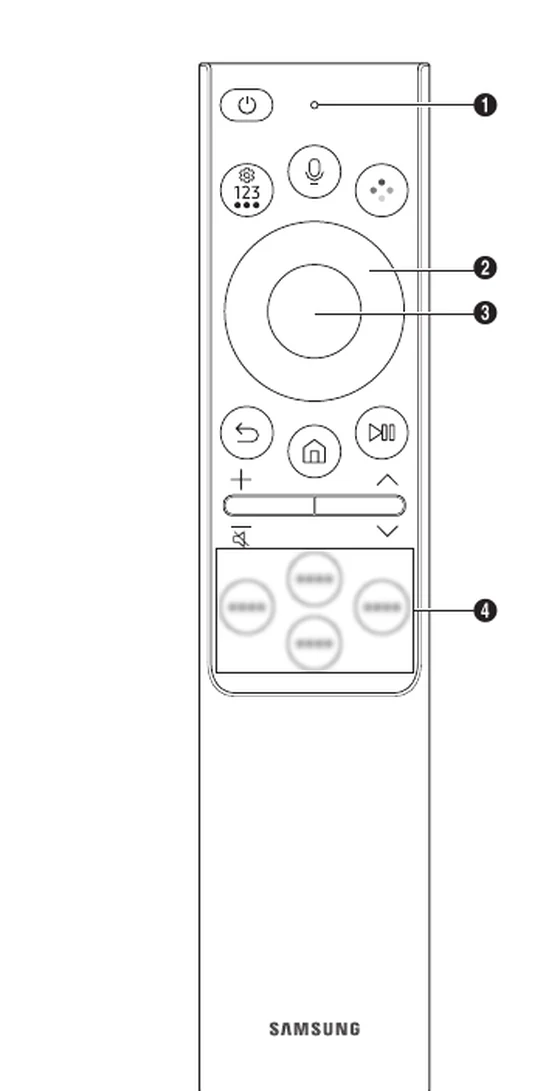
Samsung Smart Remote โ€” Buttons & Battery ReplacementWhat every button on the Samsung Smart Remote does, how to replace the batteries, and how to re-pair the remote with your TV. Adapted from Samsung guide BN68-22130A.

Galaxy Buds

Galaxy Buds3 & Buds3 Pro โ€” Coupling & Reset
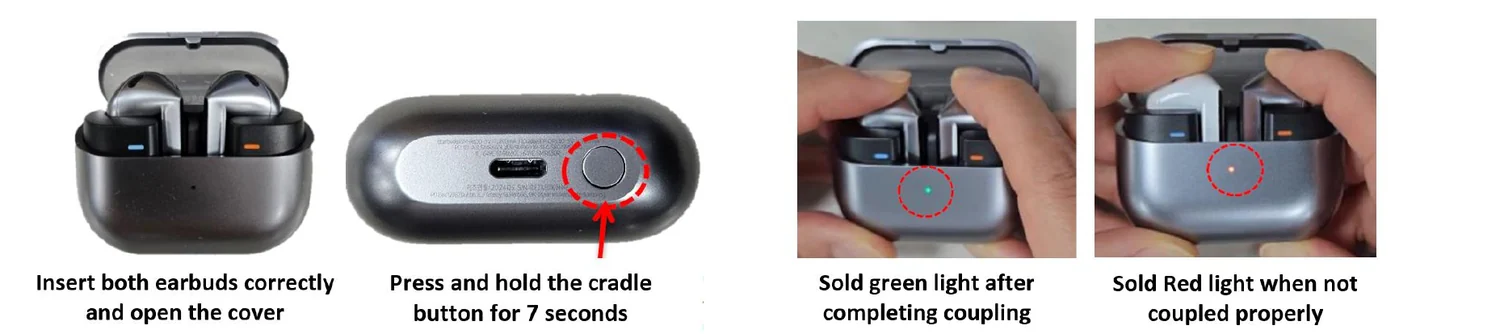
Galaxy Buds3 & Buds3 Pro โ€” Coupling & ResetCouple replacement Buds3 / Buds3 Pro earbuds with the charging cradle button, read the indicator light, and reset the earbuds in Galaxy Wearable after a self-repair.
Galaxy Buds โ€” Model ID, Case LEDs & Re-Pairing
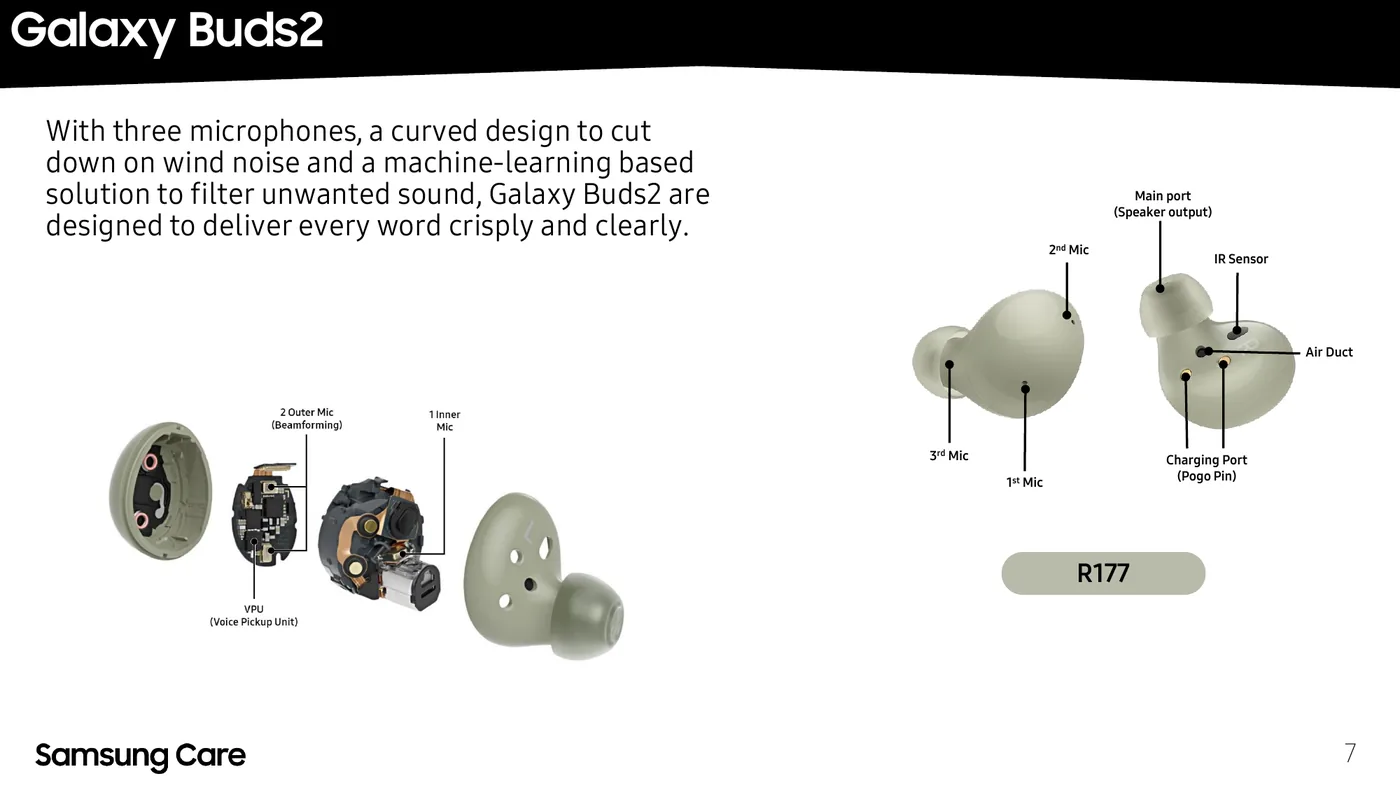
Galaxy Buds โ€” Model ID, Case LEDs & Re-PairingIdentify your Galaxy Buds model from its R-code, understand the charging case LED colours, and pair or re-couple earbuds with the Galaxy Wearable app after a battery or earbud replacement.
Ad

Sponsored Deals

Advertisement ยท Hand-picked offers, refreshed regularly

These are paid/affiliate advertisements from our partner store and are not related to Samsung spare-part pricing.